一、生成ssh密钥
ssh-keygen -t rsa -b 4096 -C "${your_email}@example.com"your_email 是你的邮箱名
二、输入保存密钥的文件位置,默认为/Users/your_user/.ssh/目录下
Enter file in which to save the key (/c/Users/${your_user}/.ssh/id_rsa):your_user 是你的用户名
三、若生成过密钥,提示是否覆盖,选择y
/c/Users/${your_user}/.ssh/id_rsa already exists.
Overwrite (y/n)? y
your_user 是你的用户名
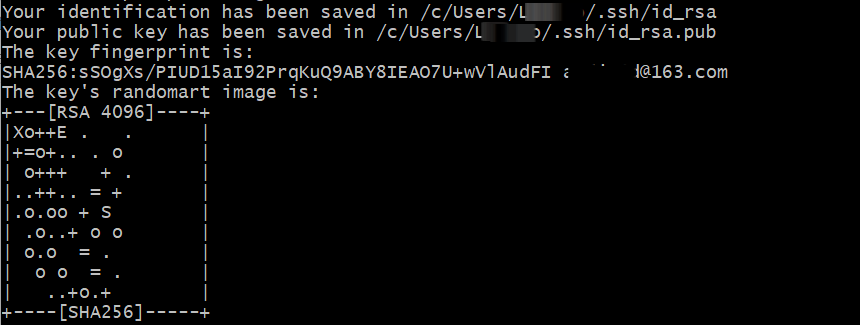
四、提示输入密钥密码
Enter passphrase (empty for no passphrase):
Enter same passphrase again:
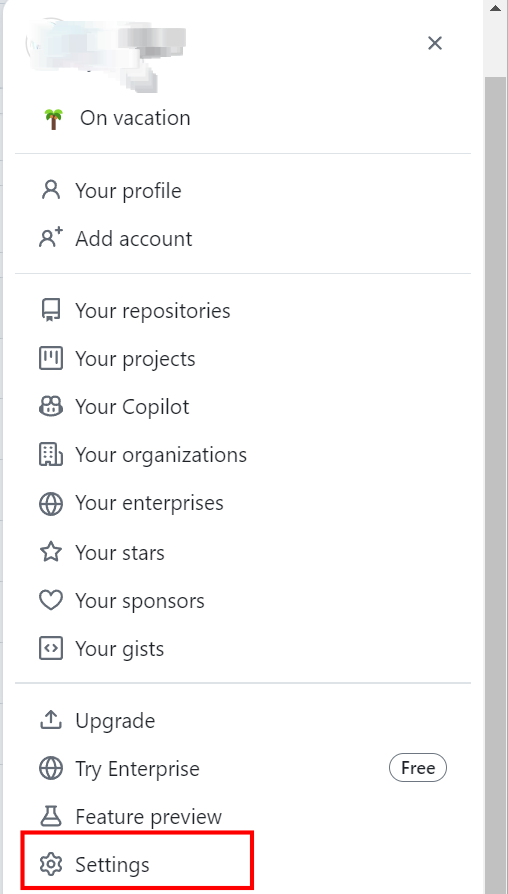
五、点击头像选择Settings
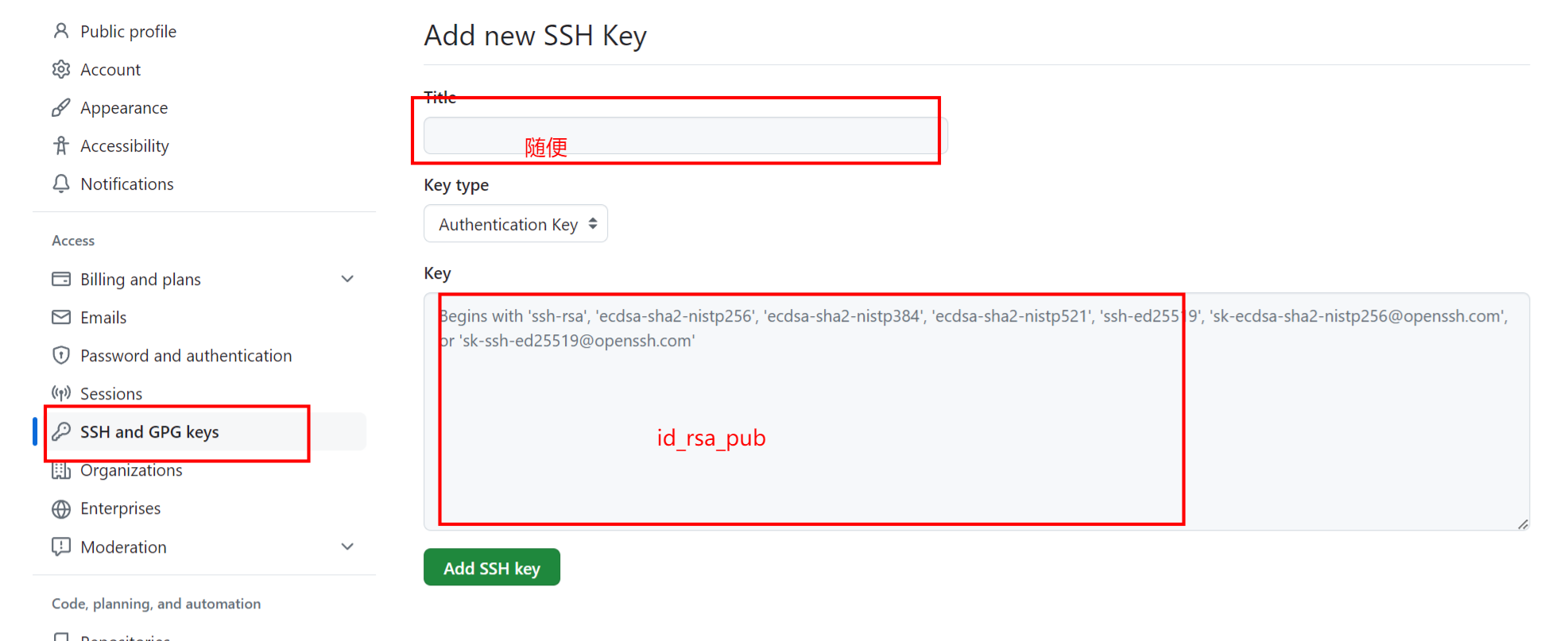
六、从/Users/${your_user}/.ssh/ 找到id_rsa_pub把公钥粘贴到如示,Add SSH Key
七、测试ssh是否添加成功
$ ssh -T git@github.com
// 输入你之前生成ssh密钥时输入的密码
Enter passphrase for key '/c/Users/${your_user}/.ssh/id_rsa':
your_user 是你的用户名
出现
Hi ${your_github_account}! You've successfully authenticated, but GitHub does not provide shell access.your_github_account 是你的github账号
表示成功